- Home
- Photo Basics
- How to Change Camera Settings
Camera Settings for Wildlife Photography
My first attempt with a "proper" camera was a drake mallard, his head a jewel of iridescent green in the morning sun.
In my mind it was a masterpiece. The print told a different story. The green jewel had gone, swapped for a muddy, dark shadow.
I studied the buttons and dials. Fractions, decimals and letters that meant nothing to me. So I turned to my oracle, Grandad Bill.
I don't remember his exact words, but they ran something like: "Try one thing at a time. See what effect it has, and whether you like it."
So I took a pencil and paper and noted down what I had picked for each shot. Recording my own EXIF data before I knew what that was.
This guide is in two halves. First, what aperture, shutter speed and ISO each do, shown through real wildlife photos. Then, how to choose them in the field, when you've ten seconds and a bird on the post.
New here and still working out what to buy? Start with my guide to which camera to start with, then come back for the settings.
The short version: let the moment pick the setting. Motion to freeze goes to shutter speed first. A busy background goes to aperture and your own position. Failing light goes to ISO last. Change one thing, check it, then the next. The rest of this page is how that works in practice.
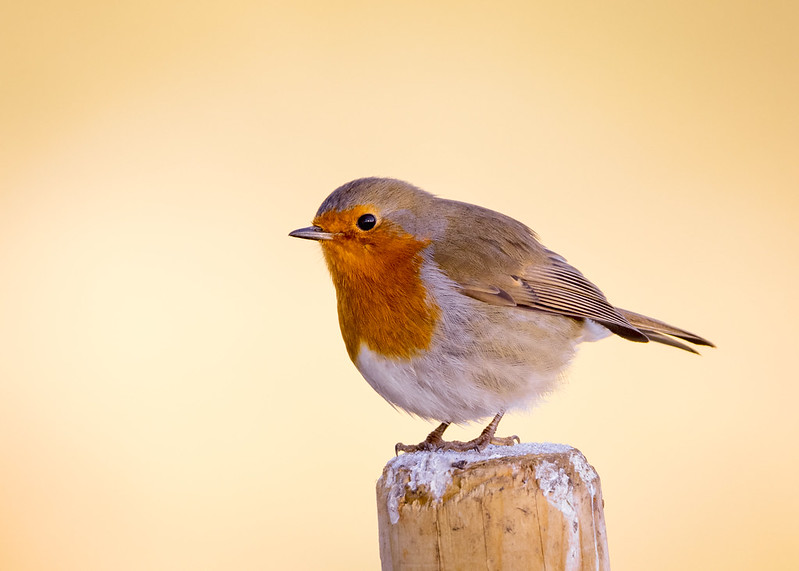

Why Doesn't My Photo Look Like What I Saw?
Your eyes and brain do things automatically that a camera can't. Once you see which job your camera missed, you'll know which dial to reach for.
- Your eyes handle bright and dark at once. You see detail in the shadows and the sky in a single glance. Your camera has to choose one or the other. That's where exposure and ISO come in.
- Your brain filters out clutter. When you watched that butterfly, you didn't notice the bin behind it. Your camera recorded everything equally. That's where aperture helps.
- Two eyes give you depth. A lens gives you flat. That sense of the butterfly floating in front of the hedgerow needs help to recreate. Aperture and your position do that job together.
- Your brain stabilises movement. You saw the robin pause mid-splash, crystal clear. Your camera either froze it or blurred it, depending on shutter speed. Nothing in between.
- Your eyes adapt to the colour of light. That warm evening glow looked golden to you. Your camera may have neutralised it into something flat. White balance and the time of day affect this.
Each of the three settings below closes one or more of these gaps. Spot which gap your photo fell into, and you'll know which dial to reach for.
Grandad's rule
"Try one thing at a time. See what effect it has, and whether you like it." Change one setting, check the result, then move to the next. That habit is the whole method behind this page.
Aperture: How Do I Make the Background Melt Away?
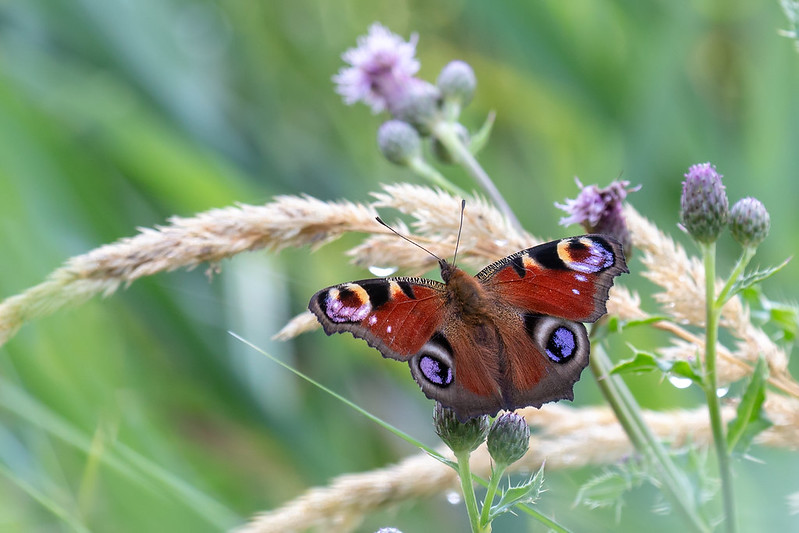
Years later, a peacock butterfly settled on a thistle, wings closed. At last it had stopped, giving me my chance.
Then a flash of fiery orange and four violet eyespots as it opened those wings. In the moment I didn't see the chaos around it. The tangle of grass, dead weeds and an intruding fence post. The camera did.
"How do I tell the camera the butterfly is the star of the show, Grandad?"
He started spouting words I didn't understand. I looked back at my sitter, squinting at the tiny detail of its curling tongue. Everything else disappeared. Something clicked. That was how I wanted the photo to look.
I turned to my grandad's toothy smile and crinkly eyes. He nodded.
"See this 16 on the dial here? Turn it down to 4. Now try again."
I glanced at the screen and gasped. A crisp, detailed insect against what looked like a soft watercolour painting.
"Why did changing that number make such a difference?"
This time I listened as he explained aperture and depth of field. How f16 was like our eyes taking in a whole scene at once, and f4 let us concentrate on one small part of it. Now, every time I change the aperture, I picture myself squinting.
That butterfly moment hooked me. If you want to try it yourself, here's my full guide to butterfly photography.
Shutter Speed: How Can I Freeze a Single Moment in Time?
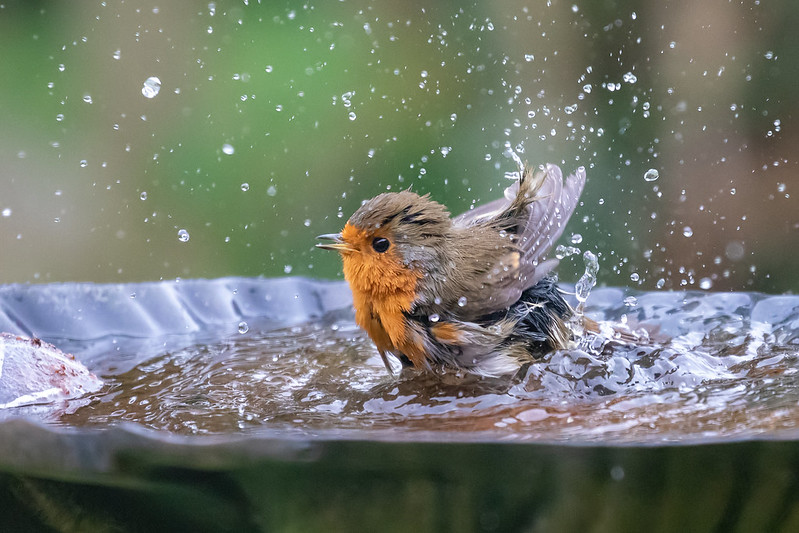
Movement caught the corner of my eye. A robin was bathing in the birdbath outside the window, throwing a chaotic spray of water everywhere.
I grabbed my camera off the table and focused on the action. Then paused. How was I going to catch those drops in mid air? Think, Carol, quickly.
I still wanted an out-of-focus background, with the robin and water sharp against it. A wide aperture would help, but it couldn't do the job alone. To catch a split second, it was time for shutter speed.
How fast did it need to be? I made an educated guess and set 1/1600th of a second, then fired off a burst, hoping one frame would land.
Moments later the robin finished and flew off, leaving me to find out. Even on the back of the camera I could see the individual droplets, like tiny pearls around the bird. One shot had caught the beak open. I smiled.
Impatient to see it larger, I slipped the SD card into my Mac. Oh no. The wing hadn't quite frozen. Then I realised it worked in my favour: I could see the speed the robin had been beating it.
I debated. Would 1/2000th have frozen everything, and did I even want that? Would 1/1000th have allowed more blur, and would that have been too much, too abstract? For this situation, I was happy my intuition had paid off.
Not sure what birds visit your garden? You might be surprised.
ISO: Do I Have the Courage to Shoot in the Dark?
Every visit to Paxton Pits brings the chance of a kingfisher. I can count the times it has happened on one hand.
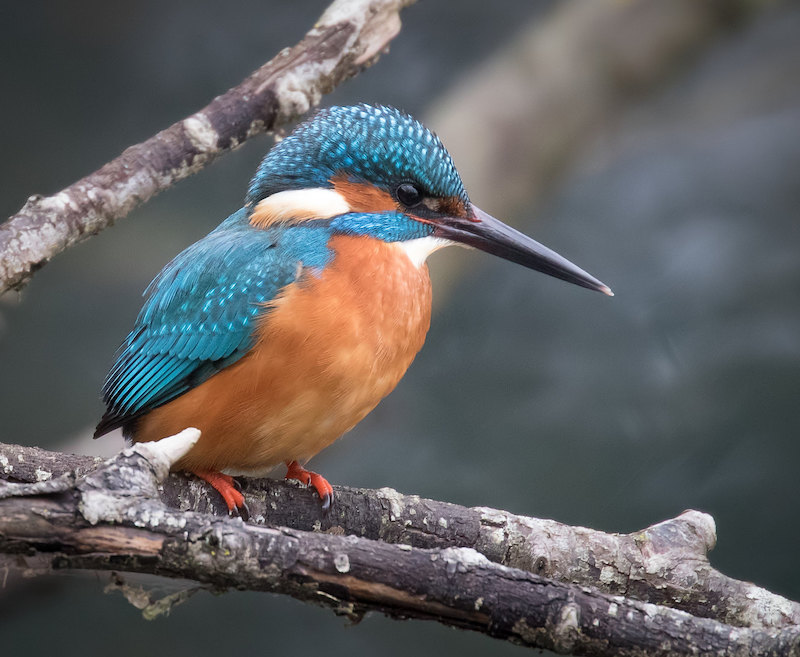
A murky winter morning didn't fill me with hope, but the outdoors was calling. As I turned for home, a streak of turquoise flashed across the water and landed on a branch in front of me. I started to raise the camera, then thought about the light. Or the lack of it.
The bird was still, staring down for a fish. Worth a try? Always.
A split decision was called for. A soft background, but risk a blur as it dived? Or a grainy shot that stopped the action? Neither was ideal. Could ISO help me out?
Back when Grandad walked with me he would have said "keep it below ISO 400". Cameras have moved on. I had pushed to 1600 before. Could I go further?
The kingfisher bobbed its head, prompting me to decide. I flicked it to 2000 and aimed, grabbing two frames before it took off up the lake.
Not expecting much, I looked at the back of the camera. Instead of the grain I expected, the shots were half reasonable. The bird was sharp enough, the background blurred if a bit grey, and a little noise removal in editing would handle the rest.
If I had stuck to a "safe" ISO, I would have no record of the encounter. Now I knew 2000 was usable, and I wondered how much further I could push it. Maybe low light is where the best chances hide.
I carried on to the car, glad that trying without expectation could sometimes pay off.
How to Change One Setting Without Changing Everything
You don't have to set all three at once. That's what the mode dial on top of your camera is for, the one marked P, A or Av, S or Tv, and M.
Pick the mode for the setting you care about, set that one value, and let the camera balance the other two:
- Aperture priority (A or Av): you choose the aperture, the camera sorts the shutter speed. Use it when the background is the decision, like the butterfly.
- Shutter priority (S or Tv): you choose the shutter speed, the camera sorts the aperture. Use it when motion is the decision, like the robin in the birdbath.
- Auto ISO: let the camera lift the ISO as the light drops, so a dark moment like the kingfisher doesn't turn into a blur.
This is how you follow Grandad's rule in practice. Change one thing, see what it does, leave the rest to the camera.
Thank you, Grandad, for your wise words to an eager younger me. I wish you were here to see me now: kingfishers on the card, a willingness to go one step further, always working on one thing at a time while keeping the other settings in mind.
Choosing Settings in the Field: the Framework
Knowing what each setting does is one thing. Standing in a hide at 7am with a kingfisher on the post, which one do you change first?
Decide what matters most before you touch the dials. Once you know what you are trying to capture, your settings support that choice instead of fighting it. Most guides explain ISO, shutter speed and aperture separately. In the field, that is how you end up chasing your tail. This workflow translates what you felt into what the camera needs.
Pre-Visualise, Prioritise, Validate
Pre-Visualise: what is the photo meant to say? Sharp wings, soft mood, clean background, warm light.
Prioritise: set the one thing you will not compromise. Motion goes to shutter speed first, separation or story to aperture and your position next, brightness or noise to ISO last.
Validate: don't trust the pretty look on the back of the camera. Check focus, histogram and highlight warnings, then adjust one thing.
Jump to a field scenario
Start with shutter speed, then let ISO do the heavy lifting.
Background and angle matter as much as exposure.
Bird in shade, bright background
Your camera will average the scene unless you take the lead.
Protect sharp eyes first, accept a little noise.
Pre-Visualise in 10 Seconds (Before You Change Anything)
The little pause that makes the rest easier. Before you adjust anything, ask three questions:
- What's the moment? A look back, a wing stretch, a chase, a quiet stillness.
- What's the feeling? Crisp detail, soft intimacy, dramatic silhouette, warm glow.
- What's most likely to spoil it? Motion blur, missed focus, a busy background, blown highlights.
Then choose one non-negotiable: "I want the eye sharp," "I want the wings crisp," "I want a calm background," "I want detail in those bright feathers." That choice tells you where to start.
Prioritise: One Decision at a Time
Outdoors, things change fast: a cloud moves, the animal turns, the background shifts as you step sideways. Set things in order: motion first, then separation, then brightness.
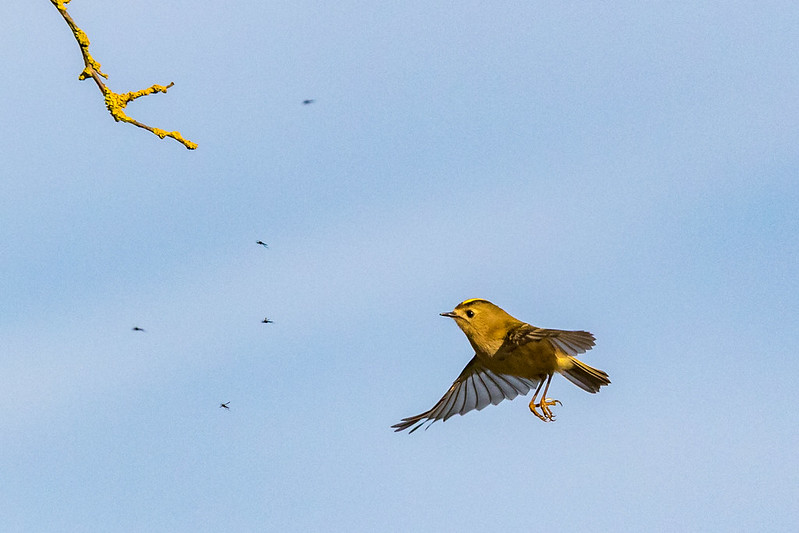
If motion is the story, start with shutter speed
If your usual disappointment is "it looked sharp when I took it," you are fighting shutter speed. Pick a starting point that matches the movement, then adjust.
- Perched birds and calm animals: 1/250 to 1/500
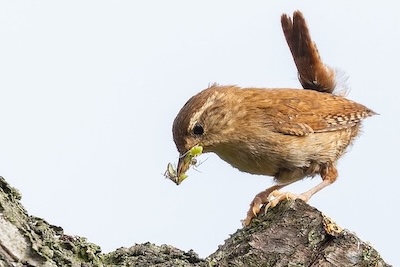
- Feeding or head movement: 1/500 to 1/1000
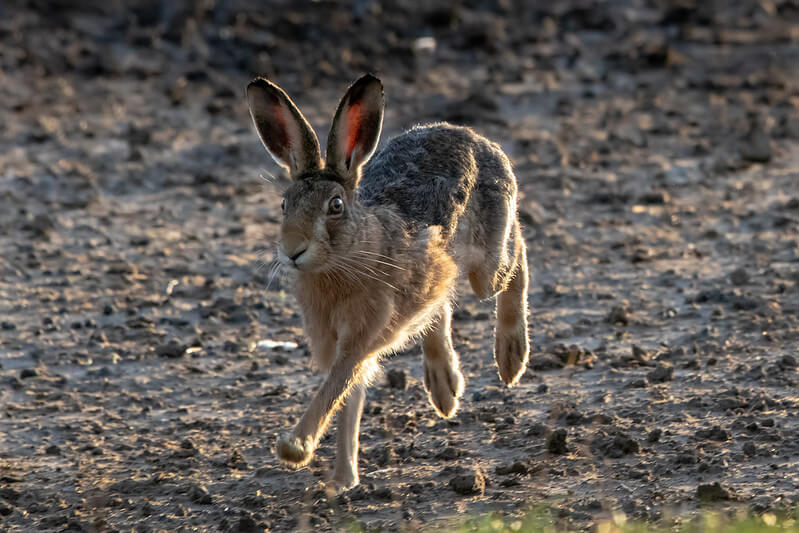
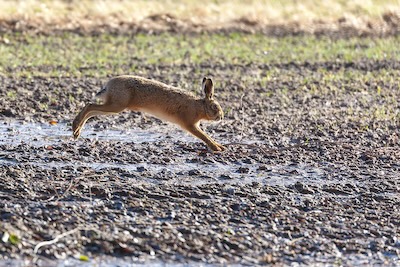
- Running mammals: 1/1000 to 1/2000
- Birds in flight: 1/1600 to 1/3200
- Intentional motion blur (panning): 1/30 to 1/125 (this one needs practice)
Too fast for the available light? That is where aperture and ISO step in.
From the long-lens end: the longer your focal length, the more a reasonable shutter speed starts to feel marginal, especially handheld. I protect shutter speed first and let ISO rise to support it.
If the photo feels busy, work on separation next
Aperture is only one part of separation. On walks, your position matters as much as your f-number. To make a subject stand out:
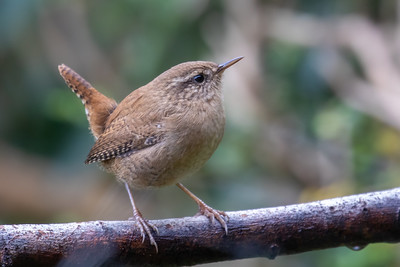
- Add distance behind the subject: a bird against open sky looks calmer than one backed by tangled twigs.
- Shift your angle: one step left or right can turn chaos into a clean backdrop.
- Use a longer focal length: it softens and simplifies backgrounds.
- Open the aperture a little: f/4 to f/6.3 is a friendly range, wide enough for blur, not so wide you lose depth.
- Watch the "too thin" trap: up close, very wide apertures make the eye sharp but the beak or body soft.
When a photo looks flat, I try a small change of viewpoint before anything else. It's the most underrated setting you have.
Then use ISO to pay for the choice you made
With shutter speed and aperture supporting the moment, ISO brings the exposure where it needs to be.
- Shutter speed slipping too slow? Raise ISO, especially for moving wildlife.
- Noise creeping in? Open the aperture a touch or find cleaner light by changing position, then lower ISO.
- Auto ISO is helpful on walks: you pick shutter and aperture, the camera rides ISO as the light changes.
Many wildlife photographers use Manual exposure with Auto ISO: it keeps motion and depth of field steady while the camera handles the brightness.
Two settings people forget: focus and drive mode
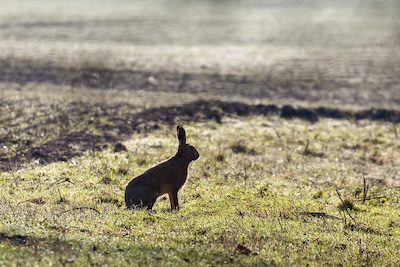
Often the flat feeling is a missed focus moment: the background is sharp, the animal a touch soft, the whole frame loses life. Experiment with:
- Continuous or Servo AF for moving subjects, Single or One-shot for still ones
- A smaller focus area when there are branches in the way
- Burst or continuous drive for unpredictable moments, to catch the exact head angle
- RAW if you can, for more room to recover the tones you felt
Validate: A Quick Check That Saves Disappointment at Home
The back-of-camera preview shifts with screen brightness and the light around you. In bright sun a too-dark file looks fine; in shade a good file looks dull. A quick habit helps.
My walk-friendly validation loop
Zoom in on the eye, or the sharpest detail. If it's soft, fix your focus approach first. Check highlight warnings (blinkies) if your camera offers them. Glance at the histogram: pressed hard right can mean lost highlights, piled left can mean crushed shadows. Then adjust one thing, often ISO or exposure compensation, and shoot again.
I keep it calm and quick: focus, histogram, one adjustment, then back to watching the animal.
Field Scenarios, Step by Step
Scenario A: Birds in Flight (when sharp wings matter most)
On windy days birds can hang almost still, beating hard to hold their line. Birds in flight isn't only about speed; it's about how steady the moment is, gusts and sudden direction changes included.
- Pre-visualise: "Crisp wings and a sharp eye."
- Shutter first: often 1/1600 to 1/3200 for small fast birds, a little slower for larger or calmer flight.
- Aperture next: open enough for light, but stop down a touch if tracking is tricky, as the extra depth is forgiving.
- ISO last: let it rise to protect your shutter speed. Auto ISO is very helpful here.
- Focus and drive: Continuous AF and burst, focus area held on the head and upper body.
After a burst I zoom in on the eye in playback. If it's not there, I nudge the shutter up first (wind adds its own wobble), then change my focus area.
Ethics note: if a bird changes direction or calls repeatedly, I back off and let it settle.
Try this next time: practise on common birds first. Gulls, pigeons and crows are generous teachers.
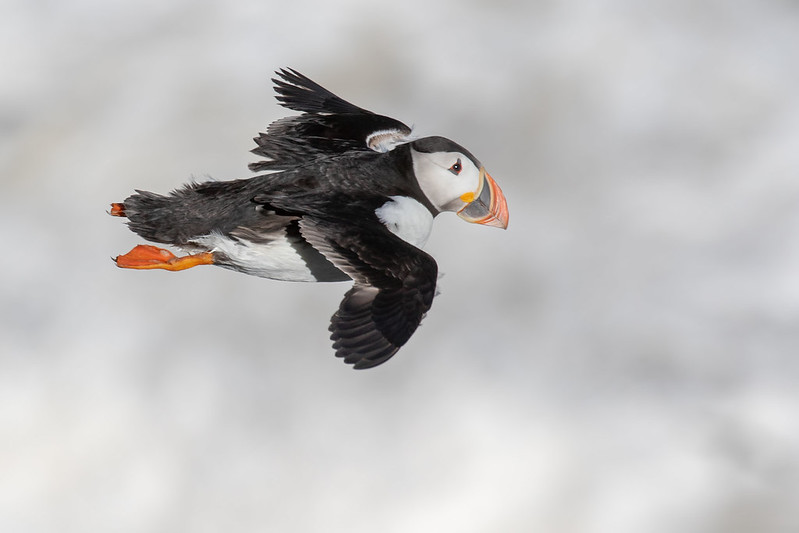
Wind like that is a gift if you know how to use it. Here's how wind direction sets up slow, head-on flight shots.
Scenario B: Dappled Woodland Light (when everything looks muddy)
Under trees, light arrives in patches. Your eyes handle it beautifully; the camera often produces a file that feels grey or cluttered.
- Pre-visualise: "A calm subject and a quieter background."
- Separation: shift your angle so the animal sits against a darker, more distant background.
- Aperture: open a little, f/2.8 to f/5.6 if available.
- Shutter: safe for small movements, 1/500 to 1/1000.
- ISO: lift it to support the shutter speed.
If a deer looks up into a brighter patch for a second, that's often the quiet frame worth waiting for. I shoot a short burst, then check focus.
Ethics note: in woodland it's easy to step closer without realising. I let the animal set the distance.
Try this next time: before you raise the camera, take one slow step sideways and look at the background. Often that's the whole fix.
Scenario C: Subject in Shade, Bright Background (the averaging trap)
A common one on walks: a bird in shade with bright sky behind, or an animal under a hedge with sunlit grass beyond. The camera averages the scene and your subject ends up dull. This is where understanding how your camera meters the light pays off.
- Pre-visualise: the animal is the story; the background can be less detailed.
- Shutter: safe for movement first.
- Aperture: open enough for separation.
- ISO and exposure: raise the exposure for the subject, then check the highlights with blinkies and the histogram.
- RAW: helpful here, for more room to recover tones.
I take one frame, check the subject has detail, then decide what I'm willing to lose. A brighter background is often fine if the animal looks alive and present.
Ethics note: backlit scenes tempt us to keep repositioning. If the animal is resting, I move slowly and minimally.
Try this next time: when you spot a bright background, move so the subject has a darker backdrop. It's often easier than fixing exposure alone.
Scenario D: Wildlife at Dusk (when mood matters and focus gets tricky)
At dusk the light feels soft and beautiful, and it's where focus and motion blur quietly sneak in.
- Pre-visualise: "Sharp eye, gentle mood."
- Aperture: as wide as is sensible for your lens.
- Shutter: the slowest you can get away with, often 1/500 or faster if the animal is alert.
- ISO: accept a higher ISO rather than a too-slow shutter.
- Validation: the zoom-in focus check matters most here.
If the animal pauses, I take a couple of frames, check the eye at 100%, then carry on walking rather than staying fixed in place.
Ethics note: low light is when wildlife is often busiest. I avoid flash, keep my distance, and let the moment pass if it feels sensitive.
Try this next time: practise your dusk settings on a stationary subject first, a signpost or a tree trunk. It teaches you what "safe sharp" looks like on your camera.
A Calm Practice for Your Next Walk
If you try one thing this week, run the workflow once per outing and notice how it changes your keepers.
- Pre-visualise the feeling: motion, separation or mood.
- Set the priority in that order.
- Validate focus and histogram.
- Then go back to walking slowly and watching.
Quiet walks. Better wildlife photos.
Keep Building Your Settings Skills
Metering for Wildlife Photography
How your camera reads light, why it averages the scene, and how to nudge it back.
Control over motion, so you can freeze a bird mid-flight or blur a stream to silk.
Getting Into Wildlife Photography
New to all this? Start here for the first steps that matter.
What to take and what to think about before you leave the house.

Step Behind the Wild Lens
Seasonal field notes from my wildlife walks: recent encounters, the story behind favourite photos, and simple, practical tips you can use on your next outing.
Copyright © 2018- naturewalkswithcarol.com All rights reserved
Home. | About Me | Contact Me | Blog | Privacy Policy